Magic 8 Ball: Ask a Question, Spin or Shake for an Answer
Type a question, press Spin, and the wheel lands on one of the 20 classic answers. Prefer the toy? Switch to 8 Ball and shake it.
The magic 8 ball wheel answers a question with one of the 20 classic 8 Ball replies, such as "Outlook good." or "Ask again later." Type your question, press Spin (or click the wheel, or press Ctrl+Enter, Cmd+Enter on a Mac), and the answer appears on a card inside the blue triangle of an 8 Ball.
Every answer has the same chance, 1 in 20. Ten of the answers lean yes, five are non-committal and five lean no, so on the default wheel half of all spins give a yes-type answer. It is a game, not an even coin flip.
How to use the magic 8 ball wheel
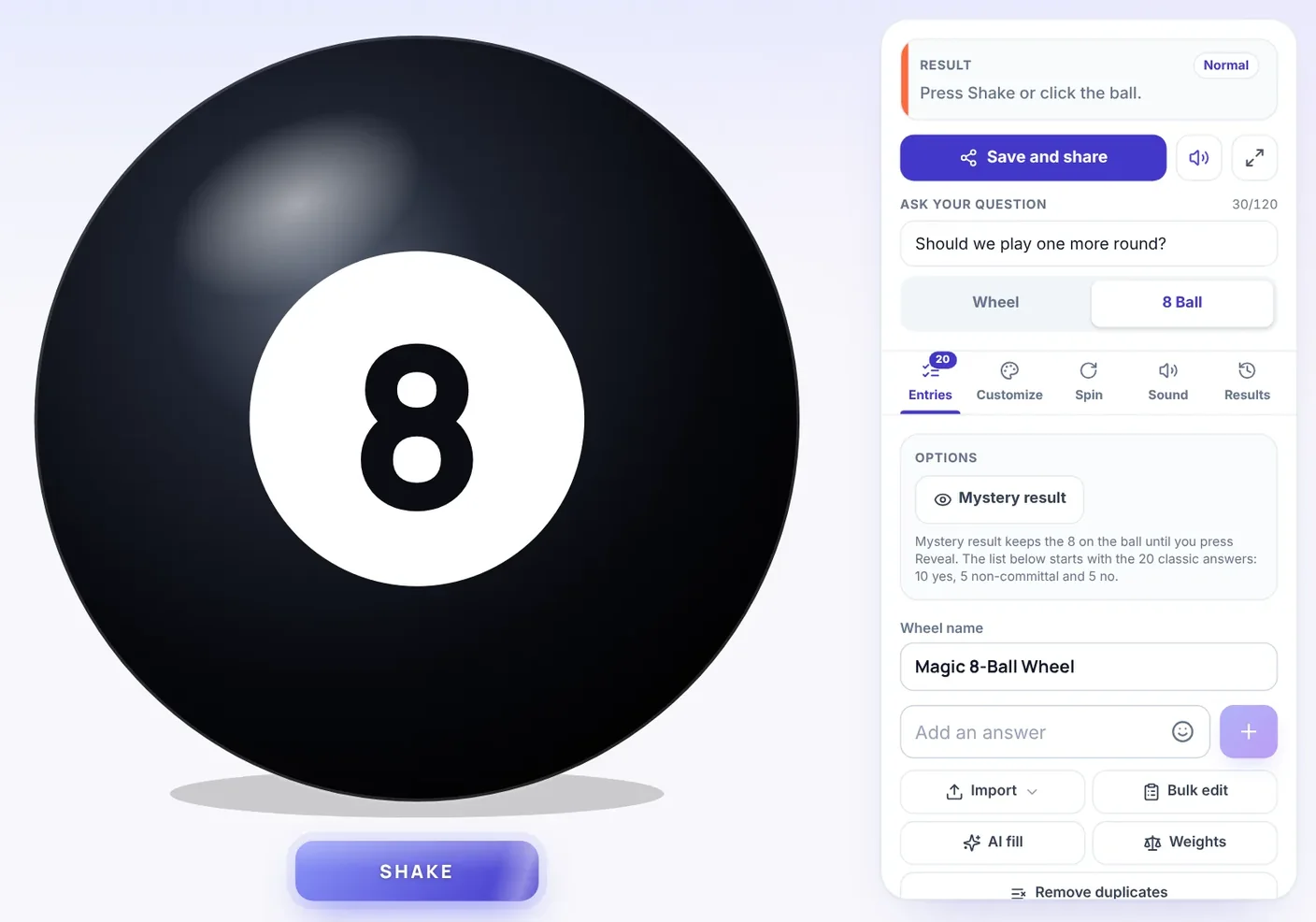
- Ask your question. Type it into Ask your question, up to 120 characters. It is optional. The wheel does not read it. It only shows above the answer on the result card and in your results list. A question that a yes or no can answer works best, such as "Should we play one more round?"
- Pick a view. Wheel shows the 20 answers on a wheel. 8 Ball shows a black ball that you shake. Both views draw from the same list.
- Press Spin. In the 8 Ball view the button says Shake, and clicking the ball does the same.
- Read the card. "The 8 Ball says" appears with your question and the answer inside the ball's triangle. Spin again asks again, Remove winner takes that answer off the wheel, and Share result sends the answer, your question and a link through your device's share menu, or copies them to your clipboard.
The question box and the two view buttons sit at the top of the panel beside the wheel. On screens narrower than 1,024 pixels that panel is hidden, and they sit under the Spin button instead.
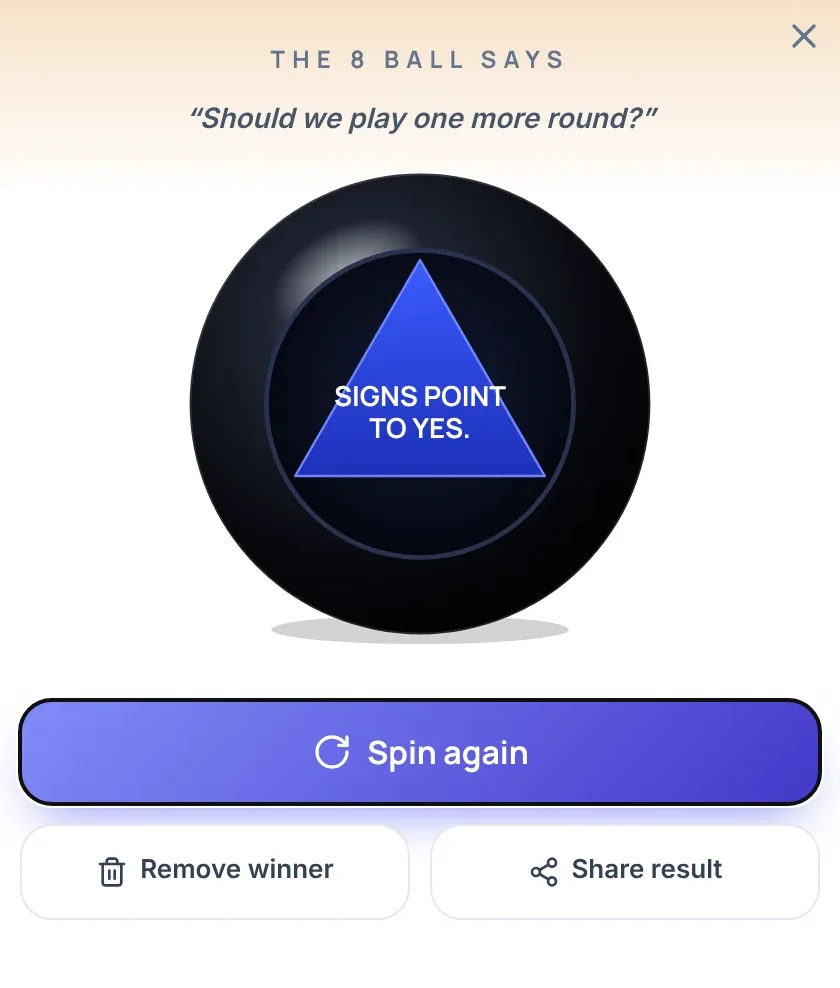
If you get "Reply hazy, try again.", decide before you start whether a non-committal answer is final or a free re-shake. Without that rule it is easy to shake until you hear the answer you wanted, and then the ball has decided nothing.
Wheel view or 8 Ball view
The two views use the same 20 answers and pick an answer in the same way. They differ in what you watch.
- Wheel view. The wheel turns and stops with one slice under the pointer. A turn takes about 5 seconds. Under Spin length in the Spin tab (on a phone, Settings in the bottom bar and then Spin), Fast is about 3 seconds and Slow about 7.
- 8 Ball view. A black ball with a white 8 replaces the wheel. Shake makes it rock for about 1 second, then the 8 gives way to a dark window with a blue triangle and the answer printed in it. After you close the card the ball keeps showing that answer until your next shake. Spin length does not apply here, and if your device is set to reduce motion the ball does not rock and the answer comes up sooner. The ball does not react to shaking your phone, so press Shake or tap the ball.
The 20 answers and what they add up to
The wheel starts with the 20 answers that the Magic 8 Ball toy is known for, in the toy's split of 10, 5 and 5. Each answer fills one slice, and all slices are the same size.
| Type | Answers | Count | Chance on one spin |
|---|---|---|---|
| Yes-type | It is certain. It is decidedly so. Without a doubt. Yes, definitely. You may rely on it. As I see it, yes. Most likely. Outlook good. Yes. Signs point to yes. | 10 | 50% |
| Non-committal | Reply hazy, try again. Ask again later. Better not tell you now. Cannot predict now. Concentrate and ask again. | 5 | 25% |
| No-type | Don’t count on it. My reply is no. My sources say no. Outlook not so good. Very doubtful. | 5 | 25% |
A single answer has a 5% chance on any spin. Over 20 spins you would expect about 10 yes-type, 5 non-committal and 5 no-type answers, but a real run varies. Ask five questions in a row and the chance of hearing at least one non-committal answer is about 76%, so a "Reply hazy" in a short run is ordinary.
How the answer is picked
When you press Spin or Shake, the browser's cryptographic random number generator (crypto.getRandomValues) picks one answer first. The wheel or the ball then moves to show it. How hard you click, when you click and how long the motion lasts cannot change the result. Because the wheel never reads your question, a question about homework and a question about lunch draw from the same 20 answers.
Keep the answer hidden until you reveal it
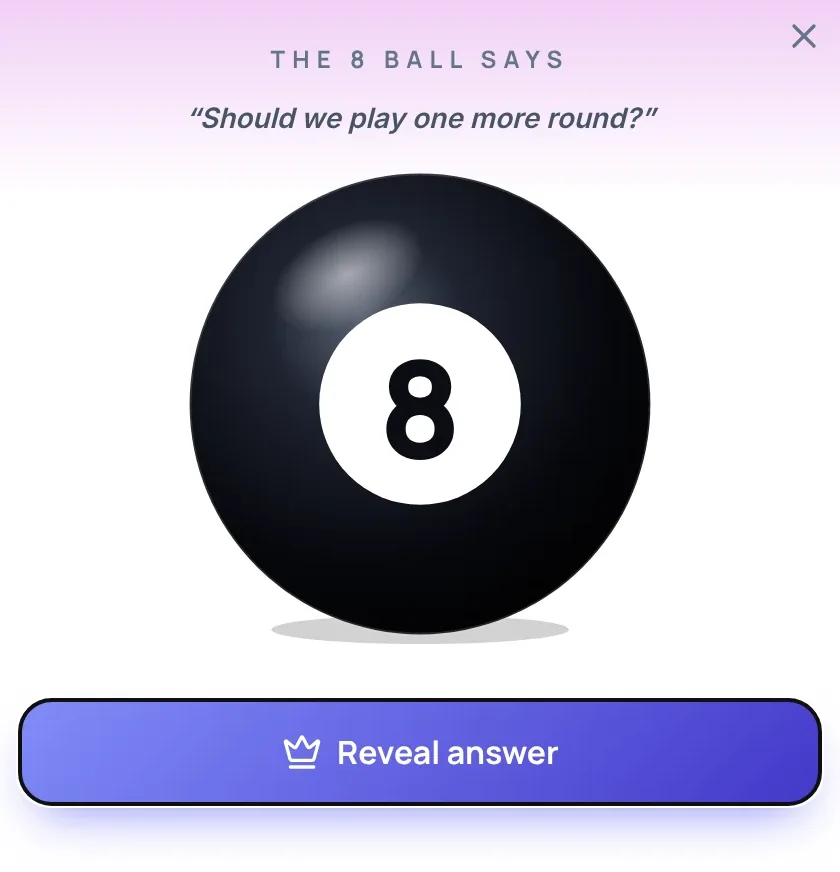
Open the Entries tab (on a phone, the Entries button in the bottom bar) and press Mystery result under Options. After a spin, the card shows the 8 on the ball and a Reveal answer button instead of the answer. The results list, the last-result line in the panel and the winner sound all wait until you press it, so nothing gives the answer away early.
In a group, one person asks, someone spins, everyone guesses, and then the answer is revealed.
Change the answers or the odds
The 20 answers are ordinary entries in the Entries tab, so you can change them.
- Edit the list. Edit or delete any answer, duplicate it, drag it to a new place, add one in Add an answer, or paste a whole list into Bulk edit. One wheel holds up to 1,000 entries and needs at least 2.
- Change the odds by changing the list. Delete the five non-committal answers and the wheel gives a yes-type answer 2 times in 3 (10 of 15). Add three more copies of "Very doubtful." and the no-type share rises from 25% to 8 of 23, about 35%.
- Weights. The Weights button gives an answer a bigger or smaller share of the spins. It is off until you turn it on.
- Elimination. In the Spin tab, Mode can be set to Elimination. Each answer then leaves the wheel after it comes up, so no answer repeats, and the 10, 5 and 5 mix shifts as the wheel gets smaller.
- Remove winner. On the result card, this takes that answer off the wheel for the following spins.
Short custom answers read best in the 8 Ball view. Inside the ball's triangle the type shrinks in steps as an answer gets longer.
Where the magic 8 ball wheel works
- Party and sleepover games. Take turns asking a question, and pick who asks next with the Random Name Picker. Turn on Mystery result to add a pause before each answer.
- Streams and group chats. Type a viewer's question into the box, so it shows on the card and in the results list, and shake once for each question.
- Class warm-ups and story games. Students ask the ball a question about a character in a story, such as "Will the fox share the grapes?", and have to explain why the answer fits or does not.
- Tabletop and solo role-play. Use it as a yes or no oracle for a question such as "Does the guard hear the noise?" Because the default wheel leans yes, delete or add answers if your game needs a different balance.
It is a poor fit for decisions about money, health, school or work. A random answer says nothing about which option is better. For a tie between two small choices, use a wheel with an even chance instead.
Does a Magic 8 Ball have a wheel?
No. The toy is a hollow plastic ball with a window. Inside, a 20-sided die floats in dark blue liquid, and each face of the die carries one answer. When you shake the ball and turn it window-up, one face floats to the window and the answer shows through. This page replaces the die with a wheel or a drawn ball and picks the answer with the browser's random number generator. It uses the same 20 answers in the same split of 10, 5 and 5.
Other wheels for related jobs
- For an even yes or no, use the Yes or No Wheel.
- To compare your own options and see each one's chance, use the Decision Wheel.
- For a draw from any list you write yourself, use Spin the Wheel.
- For a two-way answer with a coin animation, use the Coin Flip.
FAQ
20. Ten lean yes, five are non-committal and five lean no, which is the split the Magic 8 Ball toy uses. Each answer fills one slice of the same size.
Yes. The browser's cryptographic random number generator picks the answer when you press Spin or Shake, before the wheel or the ball moves. How you click or how long the motion lasts cannot change it.
Ten of the 20 answers lean yes and five lean no, so a yes-type answer comes up about 1 time in 2 and a no-type answer about 1 time in 4. The toy is built that way. For an even split, use the Yes or No Wheel.
No. Your question is shown above the answer and saved in the results list, but it does not affect which answer comes up.
No. The toy holds a 20-sided die that floats in dark blue liquid, and the answer on the face that reaches the window is the one you see. This page uses a wheel or a drawn ball instead of the die.
Yes. In the Entries tab you can edit, add, delete and reorder answers, paste a list into Bulk edit, or turn on Weights. Changing the list changes the odds, because every slice is the same size unless Weights is on.
Yes. Press Mystery result under Options in the Entries tab. The card then shows the 8 and a Reveal answer button, and the results list only updates after you press it.
It is better kept for games and small choices. A random answer does not tell you which option is better, and this wheel leans yes by design.
Yes. On phones and tablets the question box and the Wheel and 8 Ball buttons sit under the Spin button, and Entries, Settings and Results are in a bar at the bottom of the screen.