Random Animal Generator: Spin for One of 214 Animals
Press Spin and the wheel lands on one animal. It starts with 16 well-known animals and can hold all 214 on the list.
The random animal generator picks one animal each time you press Spin. The wheel starts with 16 well-known animals. You can switch it to all 214 animals on the list, to one type of animal such as birds or reptiles, or to a list of your own. Every animal on the wheel has the same chance of coming up.
The result is the animal's name, with an emoji picture for the 82 animals that have an emoji. The generator does not show photos or facts about the animal.
How to spin a random animal
- Press Spin, click the wheel, or press Ctrl+Enter (Cmd+Enter on a Mac). The wheel starts on the Starter 16 list.
- To change what is on the wheel, open the Entries tab and press All animals, Emoji animals or one of the group buttons. On narrow screens, such as phones, these buttons sit under the Spin button.
- Read the card titled Your animal.
- To keep a record, open the Results tab. Copy results copies the list of spins and Clear empties it.
Which animals are on the wheel
The wheel opens on Starter 16: Lion, Elephant, Penguin, Giraffe, Kangaroo, Octopus, Owl, Fox, Panda, Dolphin, Cheetah, Koala, Peacock, Hedgehog, Flamingo and Otter. It mixes land, sea and air animals that most people can name at a glance.
The full list holds 214 animals, sorted into seven groups. Each button in the Entries tab puts one of these lists on the wheel.
| Button | Animals | What it holds |
|---|---|---|
| Starter 16 | 16 | The 16 animals above, the default wheel |
| All animals | 214 | Every animal in the seven groups, A to Z |
| Emoji animals | 82 | Only the animals that have an emoji, A to Z |
| Mammals | 92 | Aardvark to Zebra, including Blue whale, Orca, Platypus and Polar bear |
| Birds | 42 | Albatross to Woodpecker, including Kiwi, Penguin, Puffin and Toucan |
| Fish | 21 | Angelfish to Tuna, including Clownfish, Great white shark and Seahorse |
| Reptiles | 16 | Alligator to Turtle, including Chameleon, Komodo dragon and Tuatara |
| Amphibians | 8 | Axolotl, Bullfrog, Frog, Newt, Poison dart frog, Salamander, Toad and Tree frog |
| Insects | 19 | Ant to Wasp, including Bee, Butterfly, Firefly and Praying mantis |
| Other invertebrates | 16 | Centipede to Tarantula, including Crab, Jellyfish, Octopus, Scorpion and Starfish |
The groups are the tool's own sorting by type, not a scientific checklist. Whales, dolphins and bats count as mammals, sharks and seahorses sit in Fish, and the Tarantula is in Other invertebrates with the crabs and jellyfish. The list holds living animals only, so there are no dinosaurs and no mythical creatures.
Spin one type of animal
Press a group button to narrow the wheel to that group. From Starter 16, a press on Birds gives a wheel of the 42 birds. A press on a second group, such as Reptiles, adds it, and a press on a group that is already on takes it off again. The last group left cannot be turned off. All animals brings back the full 214, and Emoji animals puts only the 82 animals that have an emoji on the wheel.
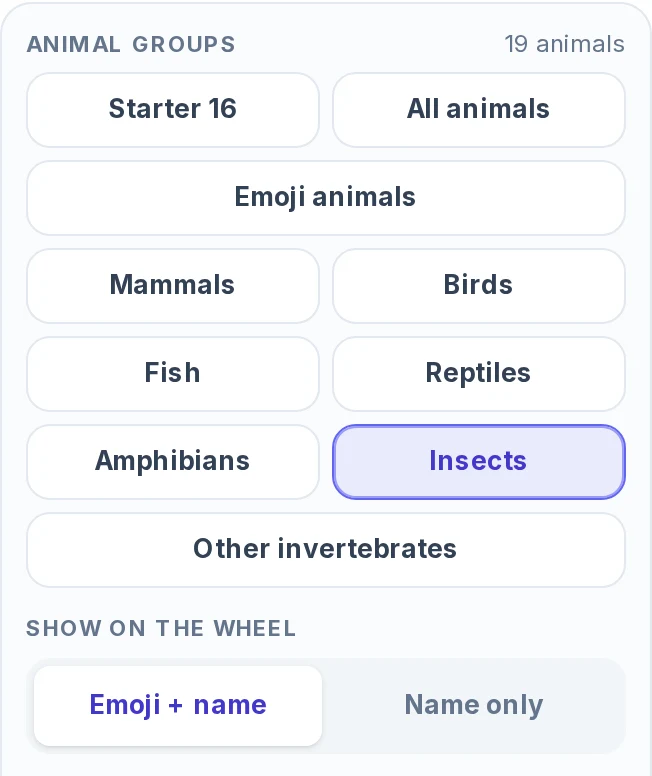
Show on the wheel switches between Emoji + name and Name only. Animals that have no emoji, such as Cheetah, show the name only either way.
Changing the groups or the ticks rebuilds the wheel from the list. Animals you typed in by hand are replaced, so choose the groups first and add your own animals afterward.
Skip the animals you don't want
Under the group buttons, the Animals list shows every animal on the wheel with a tick box. Untick an animal and it leaves the wheel. The line above the list counts what is left, for example 17 of 19 ticked. An animal you untick stays unticked when you switch to another list, until you tick it again.
Find an animal filters the list as you type. Tick all and Untick all then act only on the animals the search shows. On All animals, typing "bear" and pressing Untick all removes Black bear, Brown bear and Polar bear in one go.
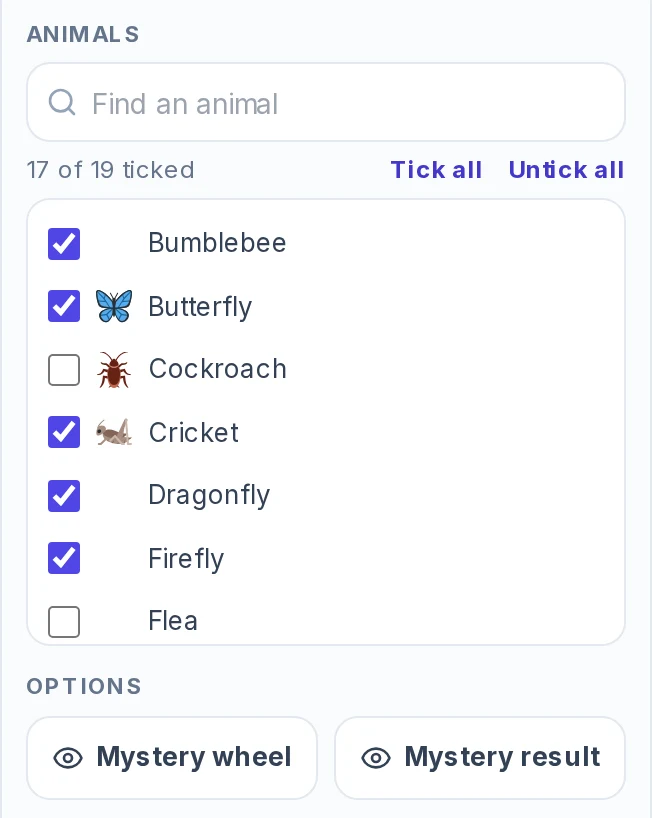
A class studying insects can use the Insects group and untick the ones that make some children squirm, as in the picture.
Add your own animals
The wheel also takes animals that are not on the list. Type a name into Add an animal and press the plus button, paste one animal per line into Bulk edit, or use Import for a CSV file, an Excel file, a PDF or a Google Sheets link. Remove duplicates clears repeated names. One wheel holds up to 1,000 entries.
What the result card shows
Each spin ends with a card titled Your animal. It shows the animal's name and, for animals that have one, its emoji. The emoji is a drawing, not a photo.
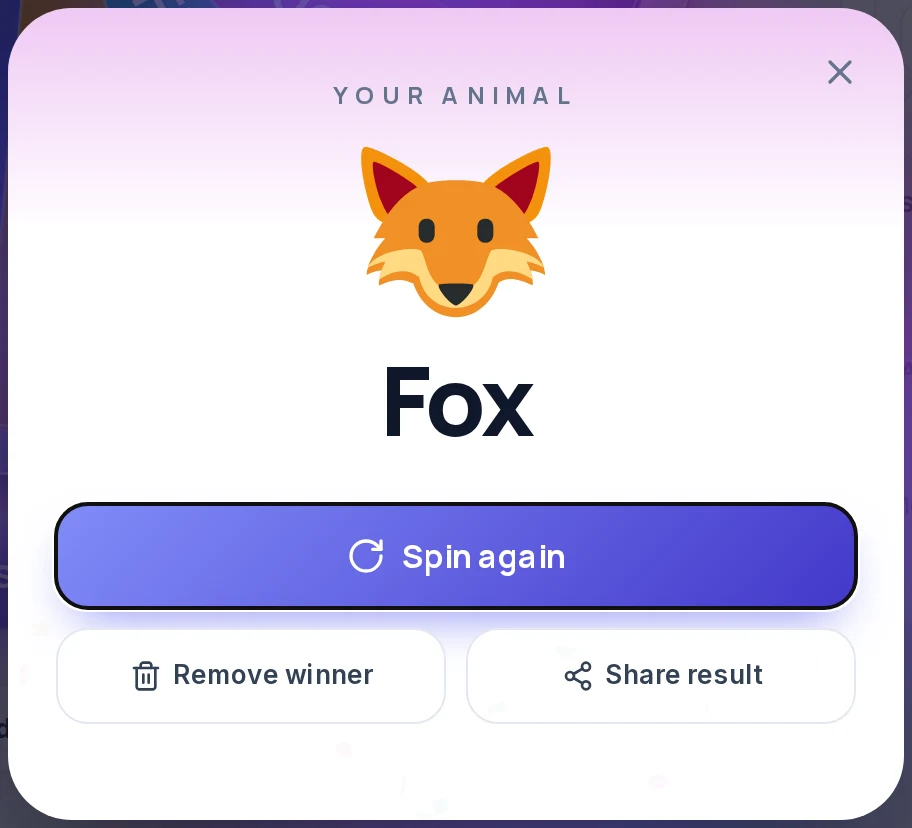
Spin again closes the card and spins at once. Remove winner takes that animal off the wheel. Share result sends the animal's name and a link to the page through the device's share menu where there is one, or copies them.
How the wheel picks the animal, and the real odds
The animal is chosen by the browser's cryptographic random number generator (crypto.getRandomValues) when you press Spin, before the wheel starts to move. The animation then turns to the animal that was already picked, so the speed or timing of your click cannot influence the result.
With the default settings every animal on the wheel has the same chance: 1 in 16 on Starter 16, 1 in 42 on Birds, 1 in 8 on Amphibians and 1 in 214 on All animals. Each spin is independent. The same animal can come up twice in a row, and an animal that has not appeared for ten spins is no more likely to come next.
1 in 16
Each animal on Starter 16
about 6.3%
1 in 42
Each animal on Birds
about 2.4%
1 in 214
Each animal on All animals
about 0.47%
Equal chances for each animal do not mean equal chances for each group. On All animals a group's share of the results follows its size:
| Group | Animals | Share of the results |
|---|---|---|
| Mammals | 92 | about 43% |
| Birds | 42 | about 20% |
| Fish | 21 | about 10% |
| Insects | 19 | about 9% |
| Reptiles | 16 | about 7% |
| Other invertebrates | 16 | about 7% |
| Amphibians | 8 | about 4% |
If 30 children each spin once on All animals, expect about 13 mammals and one amphibian. When every group should get a turn, spin each group's wheel in turn instead.
The Entries tab also has a Weights button. Weights give some animals a bigger share, so leave it off for an even wheel.
Spin without repeats
The generator gives one animal per spin. To avoid repeats, use either of these:
- Remove winner on the result card takes that animal off the wheel before the next spin.
- Elimination mode (Spin tab, Mode) takes each winner off the wheel when you close its card. When one animal is left, the wheel says "All done!" and offers a "Reset wheel?" button.
On Starter 16, Elimination gives 15 different animals. A class of 15 can each spin once, and no two children get the same animal. Accumulation mode does the opposite and counts how many times each animal wins, which suits a tally in a lesson.
Where a random animal helps
- Drawing prompts. Spin an animal, then a color with the Color Picker Wheel or a scene with the What to Draw Wheel. "Draw a penguin in mostly purple and gold" is a full prompt.
- Guessing games and charades. Turn on Mystery result and the card shows a question mark until someone presses Reveal answer. One player can spin on a phone, reveal the animal privately and answer yes or no questions while the others guess. Mystery wheel also hides the names on the slices. For acting words beyond animals, try the Charades Generator.
- Classroom lessons. A class studying one type of animal can use that group, such as Reptiles (16) or Amphibians (8). After each spin, ask for the animal's habitat, what it eats and the sound it makes.
- Writing and naming. Spin an animal as the hero of a short story, a team mascot or a name for a group project.
- One animal per team. Split the group first with the Random Team Generator. Then spin Starter 16 in Elimination mode, once per team, so no two teams share an animal.
What this generator does not do
- It names the animal. It shows no photos, facts, habitat or conservation status, so look the animal up after you spin.
- It holds 214 well-known animals, not every species. The groups are types of animal. There is no filter for habitat, continent or first letter, and Find an animal only searches the names on the current list.
- It has no invented creatures. For a dragon, phoenix or kraken, use the Mythical Creature Generator.
Other wheels for related jobs
- To pair the animal with a color, use the Color Picker Wheel.
- For a scene or subject to draw, use the What to Draw Wheel.
- To split a group before you hand out animals, use the Random Team Generator.
- For creatures that do not exist, use the Mythical Creature Generator.
- For anything else you can list, Spin the Wheel takes your own entries.
Frequently asked questions
It uses the browser's cryptographic random number generator to pick the result when you press Spin, before the wheel moves. Every animal on the wheel has the same chance, 1 in 16 on Starter 16 and 1 in 214 on All animals.
The wheel starts with 16. The full list has 214 animals in seven groups: 92 mammals, 42 birds, 21 fish, 19 insects, 16 reptiles, 16 other invertebrates and 8 amphibians. 82 of them have an emoji.
Yes. Press a group button in the Entries tab: Mammals, Birds, Fish, Reptiles, Amphibians, Insects or Other invertebrates. More than one group can be on at once. On narrow screens, such as phones, the buttons sit under the Spin button.
Yes. Untick them in the Animals list under the group buttons, or press Remove winner on the result card after a spin.
Set Mode to Elimination in the Spin tab, or press Remove winner on each result card. Without either, the same animal can come up twice in a row.
No. The result is the animal's name, with an emoji picture for the 82 animals that have one. For photos or facts, look the animal up after you spin.
Yes. Type a name into Add an animal, paste a list into Bulk edit, or use Import. One wheel holds up to 1,000 entries.
Yes. Turn on Mystery result to hide the animal behind a question mark until you press Reveal answer. Mystery wheel also hides the names on the slices.