Spin for a prompt, then draw it here or on paper.
What to Draw Wheel: Spin for Something to Sketch
Spin for a subject, then draw it on the page or on paper. Add a twist and a timer when you want a challenge.
This what to draw wheel gives you one subject to draw each time you press Spin. Pick a prompt set, spin, and the result card tells you what to draw: a teapot, a night market, a fox reading a book.
Turn on a Twist and the card also says how to draw it, such as in one continuous line or with your other hand. A timer and a sketch pad sit on the same page, so you can draw the result without leaving it.
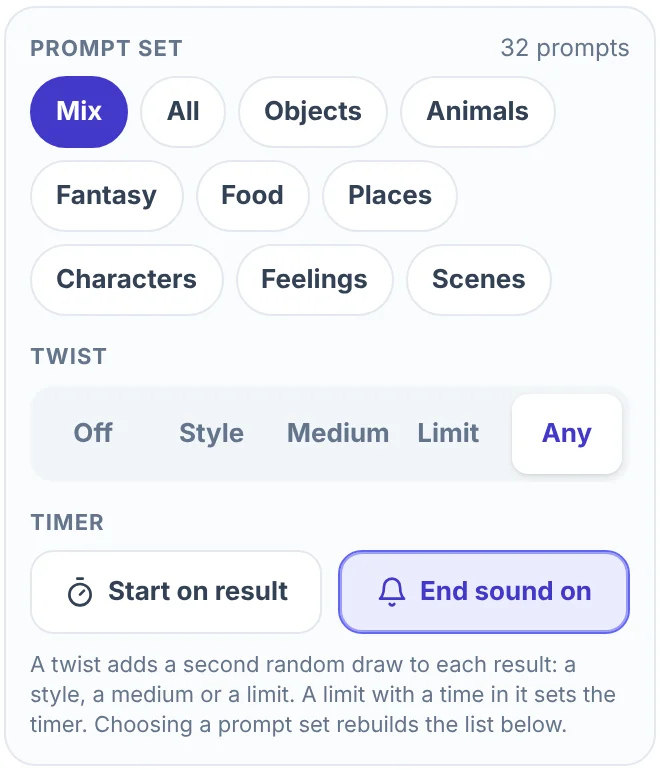
As a what to draw generator it gives one prompt per spin instead of a list to scroll through, so the choosing is done for you. The wheel opens with a Mix of 32 prompts, four from each of eight sets. The eight sets together hold 192 prompts, and you can type your own.
How to use the what to draw wheel
- Pick a prompt set. In the Entries tab, choose Mix, All or one of the eight sets under Prompt set. The number next to the heading shows how many prompts are on the wheel.
- Choose a twist, or leave it off. Twist starts on Off. The groups are explained below.
- Press Spin. You can also click the wheel.
- Read the card. It says Draw this with the prompt in large type, and the twist under it when one is on.
- Draw it. Draw it here opens a sketch pad over the page. You can also start the timer and draw on paper. Spin again draws another prompt.
On a phone, the Prompt set menu and the timer sit under the wheel. Twist and the timer options are in the Entries sheet, which opens from the bar at the bottom of the screen.
The eight prompt sets
Each set holds 24 prompts of one kind. Mix takes four from every set and puts them in an order where neighboring slices are different kinds. All puts all 192 on the wheel.
| Set | What you draw | Examples |
|---|---|---|
| Objects | One everyday thing | Teapot, Bicycle, Old boot |
| Animals | One animal | Owl, Octopus, Hedgehog |
| Fantasy | A creature, place or object from a story | Dragon, Mermaid, Wizard tower |
| Food | One dish or snack | Bowl of ramen, Stack of pancakes, Taco |
| Places | A place and its surroundings | Lighthouse, Night market, Old library |
| Characters | A person with a role | Pirate captain, Robot butler, Beekeeper |
| Feelings | An idea with no fixed look | Calm, Silence, A secret |
| Scenes | A subject doing something, in one sentence | A fox reading a book, A cat wizard, A wizard stuck in traffic |
Choose by what you want from the session. Objects and Animals give you one subject and nothing to plan, which usually suits a quick warm-up. Places and Scenes ask for more, because the drawing needs a setting or two things that relate to each other. Characters add a pose and a role. Feelings have no fixed look, so a sketch in color or loose marks is as right as any other. A few prompts point at your own life, such as Your pet and The view from your window.
Choosing a set replaces everything on the wheel, including prompts you typed. Choose the same set again and its prompts come back.
Add a twist: style, medium or limit
A twist is a second random draw that says how to draw the prompt. Under Twist, pick one group, or Any to draw from all of them:
- Style has 12 twists, such as "as a cartoon", "as a silhouette", "as pixel art" and "using only dots".
- Medium has 10, such as "in pencil only", "with one marker", "in charcoal" and "as a cut paper collage".
- Limit has 10, such as "without lifting the pen", "using three colors only", "no bigger than a coin" and "in 5 minutes".
- Any draws from all 32.
The card shows the twist under the prompt. Read together, the two make one instruction, for example "Night market, in 5 minutes".
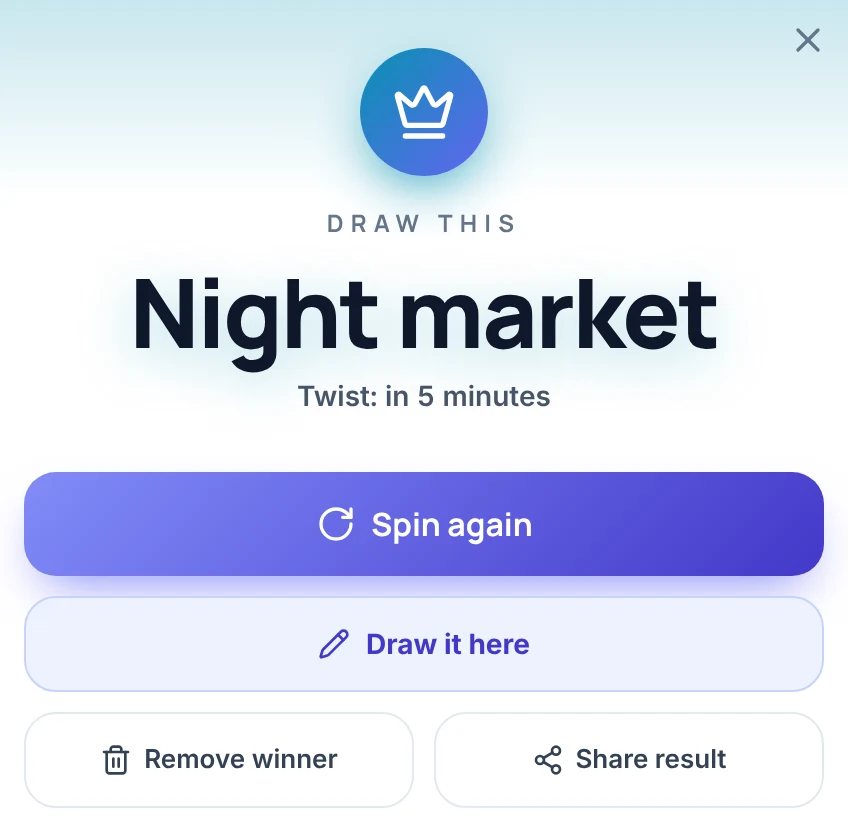
Four of the limits have a time in them: 1, 2, 5 and 10 minutes. When one of those comes up, the timer is set to that length. It does not start unless Start on result is on, as described in the next section.
The twist is drawn without looking at the prompt, so some pairs are odd. Treat the odd ones as part of the challenge, or spin again.
Set a timer
The timer sits in the panel beside the wheel, and under the wheel on a phone. Pick 1, 2, 5, 10 or 20 minutes (5 is the default) and press Start. Pause stops the clock, and the reset button (a circular arrow) puts it back to the full length.
Two options sit under Timer in the Entries tab. Start on result starts the clock as soon as a result comes up. End sound plays a sound when the time runs out, and it is on at first. When the time is up, the clock turns orange and the line under it reads "Time is up. Pens down."
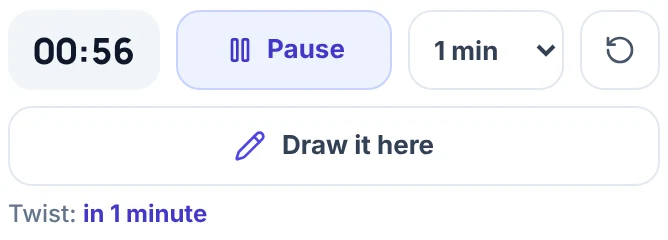
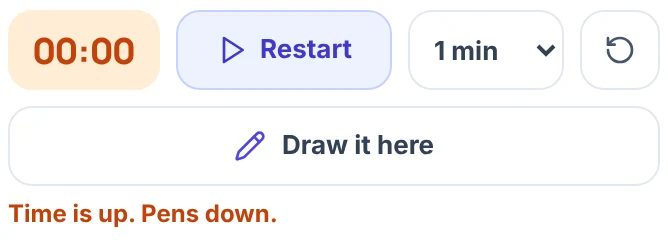
One or two minutes is enough for a rough impression of the subject. Ten or twenty leaves room for detail.
Draw it on the page
Press Draw it here on the result card, or on the button of the same name under the timer. Before the first spin that button reads Open sketch pad and the pad is for free sketching. The pad opens over the page with the prompt and twist in its header and the timer beside the close button, and you can start and pause the timer from there.
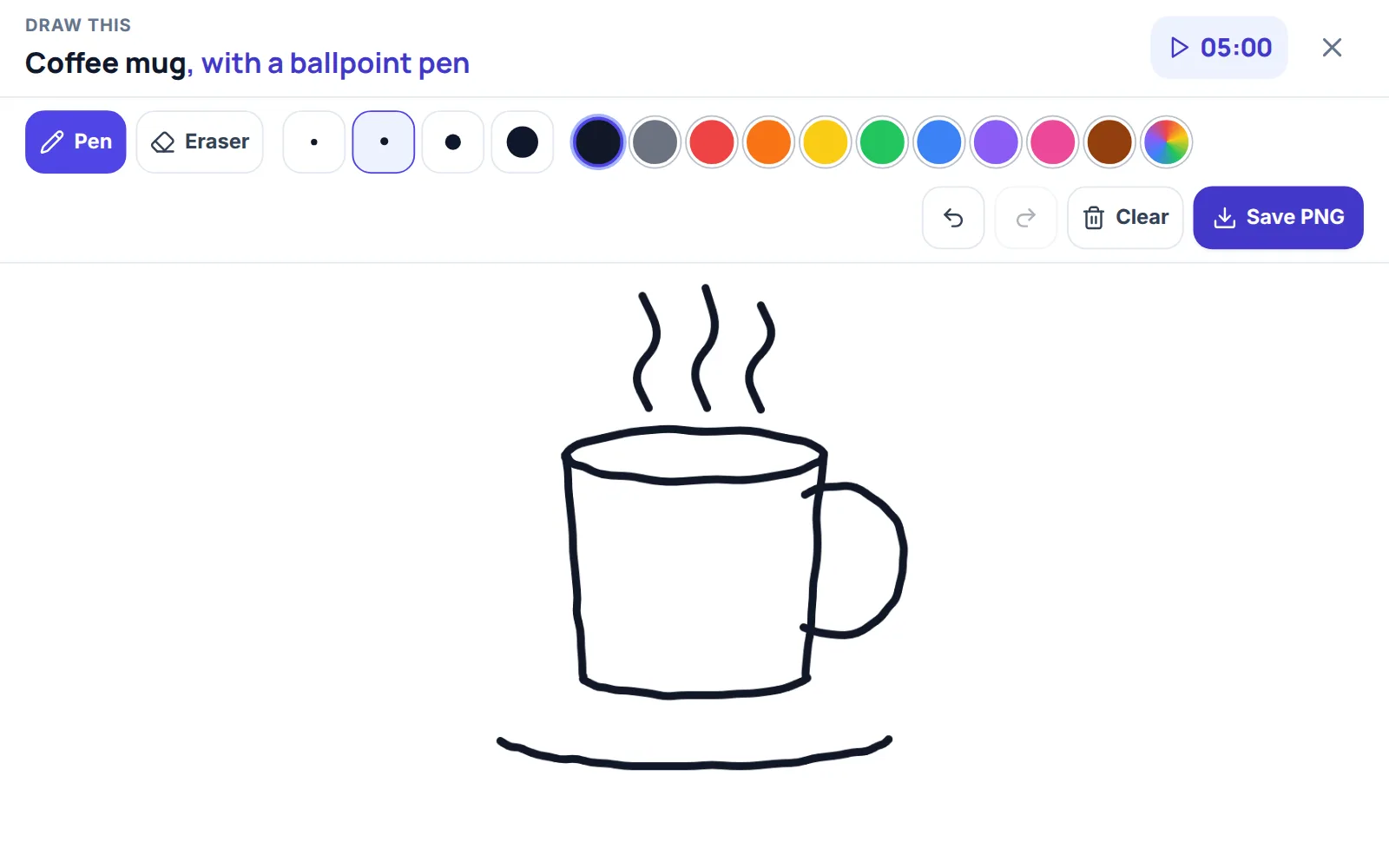
The pad has Pen and Eraser, four brush sizes, ten colors plus a color picker, Undo, Redo, Clear and Save PNG. It takes a mouse, a finger or a stylus. Esc closes it. Ctrl+Z (Cmd+Z on a Mac) undoes the last stroke, and adding Shift redoes it.
Save PNG downloads the drawing as a PNG named after the prompt, for example shufflewheel-bowl-of-ramen.png. A thin strip is added under the drawing, with the prompt and twist on the left and shufflewheel.com on the right. The strip is in the file only, not on the pad. Save PNG is dimmed until there is something on the pad. The drawing is made in your browser and is not uploaded.
The pad keeps your drawing when you close it, and also when you spin a new prompt, so press Clear before you start the next one. A reload empties it, so save the PNG first.
Ways to use the wheel
- A five-minute warm-up. Choose Objects, leave Twist off and keep the timer at 5 minutes. Draw the first thing you can picture and stop when the clock does.
- A daily habit. Pick one set for the week, turn on Start on result and save each day's PNG into one folder. The file names carry the prompt, so the folder shows what you drew.
- Get out of a habit. If you always outline everything, a Style twist can ask for "with no outlines" or "as a silhouette". If you always reach for the same pen, Medium can pick another one.
- A drawing game. Everyone draws the same prompt for the same time. Spin once, show the wheel to the group, start the timer and compare drawings when "Time is up. Pens down." appears.
- Every prompt once. To draw all 24 prompts of a set without repeats, choose the set, set Mode to Elimination in the Spin tab (inside Settings on a phone), and spin. Each winner leaves the wheel when you close the card.
- Your own prompts. Type a prompt into Add a drawing prompt, or open Bulk edit and write one prompt per line, for example the characters of your comic or the places in your town. The wheel holds up to 1,000 prompts, and choosing a prompt set later replaces your list.
What this wheel does not do
- It has no difficulty setting. The sets are sorted by kind, not by skill.
- It does not show reference pictures or explain how to draw the subject. It names the subject and, with a twist, a way to draw it.
- It does not rate or check your drawing.
- The pad is simple: pen, eraser and colors. It has no layers, fill tool, shapes or zoom, and stylus pressure does not change the width of a line.
- It forgets on reload. The wheel goes back to the Mix with Twist off and a 5-minute timer, and the pad is empty.
More wheels for drawing ideas
If you only want objects, the Random Object Generator has a list of 24 everyday objects. For animals, the Random Animal Generator has 214 and can narrow the list to a group such as birds or reptiles. Spin a color on the Color Picker Wheel and use it as a rule for your drawing. For a step-by-step lesson on one subject, see How to Draw a Hat. Any other list goes on the Spin the Wheel page.
Frequently asked questions
A what to draw wheel is a spinner that picks one drawing prompt at random from a list. This one has 192 prompts in eight sets, an optional twist that says how to draw the prompt, a timer and a sketch pad.
When you press Spin, the browser's cryptographic random number generator picks one prompt from the set you chose, and the wheel then turns to show it. Every prompt on the wheel has the same chance.
It can be, with the right set. There is no difficulty setting, but a single object or animal asks for less than a scene, so Objects and Animals are a gentler place to start. You can also write a list of prompts you like.
A twist is a second random draw that says how to draw the prompt, for example "as a silhouette", "in pencil only" or "in 5 minutes". Choose Style, Medium, Limit or Any, or leave it off.
Only if Start on result is on. A limit twist with a time in it sets the timer to that length but does not start it, so press Start or turn that option on.
Yes. Draw it here opens a sketch pad where you draw with a mouse, finger or stylus, and Save PNG downloads the drawing to your device. The pad does not keep the drawing after a reload, so save it first.
Yes. Type them into Add a drawing prompt or write one per line in Bulk edit. The wheel holds up to 1,000 prompts.
The pad keeps its drawing until you press Clear, even when you spin a new prompt. Save the PNG if you want to keep the drawing, then clear the pad.