Your names, separated by commas
Group size
Equal chances unless weights are on.
Spin the Bottle Online: Pick a Player From Your List
Type your players' names and spin. The bottle stops on one name, for 2 players or a full circle.
This online spin the bottle game picks one player from the names you type. Press Spin, tap the bottle or press Space, and the bottle turns, slows down and stops on one name. A card then shows who the bottle points at. The page runs in a browser on a phone, tablet or computer, it is free, and it needs no account or download.
The traditional game of spin the bottle is a kissing party game. This bottle has no kissing rules, dares or forfeits. It only chooses a name, and your group decides what the choice means: who answers a question, who goes next, who adds the next line of a story.
How to play online with names
The table opens with ten placeholder players, Player 1 to Player 10, so you can spin before you set anything up. To use your own group:
- Type your names. Open the Entries tab and click the box called Your names, separated by commas. Type a list such as
Maya, Leo, Zoe, Sam, Ivyand press Enter or Use names. Commas and semicolons both work. A name typed twice counts once, and capital letters are ignored when repeats are checked. The box says how many repeats it left out, and it needs at least two names. - Or start from a group size. Tap 2, 3, 4, 6, 8, 10 or 12 under Group size, or use the plus and minus buttons beside Players. New seats are called Player 4, Player 5 and so on. A smaller size keeps the first names in order and drops the rest. To rename one player, edit that name in the list below the setup box.
- Choose the rules, if you want any. Fair turns and Skip the spinner sit under the player count. Both are explained in "Keep turns fair" below.
- Spin. Press Spin, tap the bottle or press Space. The bottle turns for about 5 seconds and, with sound on, ticks as its neck passes each name. It stops on one player, that player's seat lights up, and a card opens a moment later. Under Spin time, Fast takes about 3 seconds and Slow about 7.
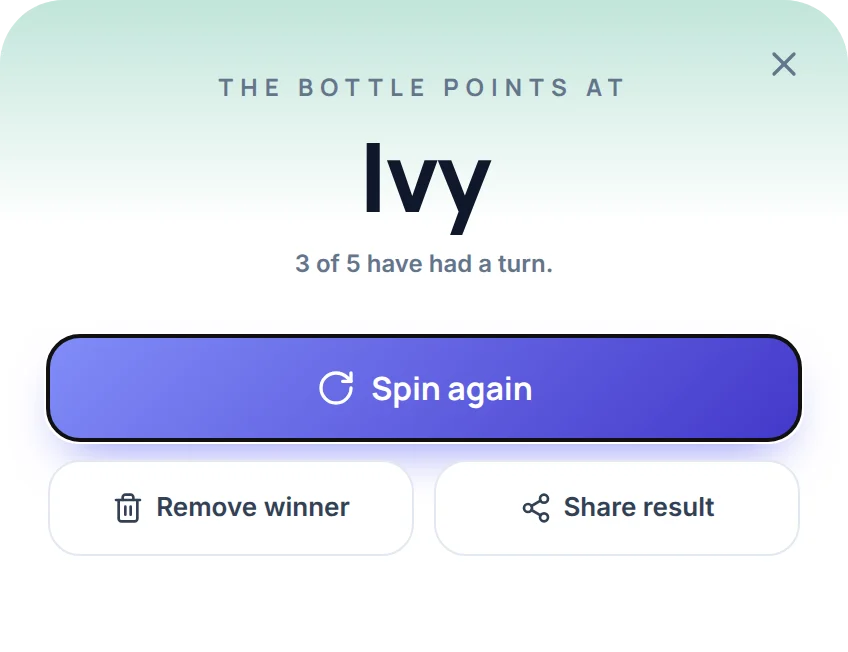
- Spin again. The card has Spin again, Remove winner and Share result buttons. Remove winner takes the picked player off the table.
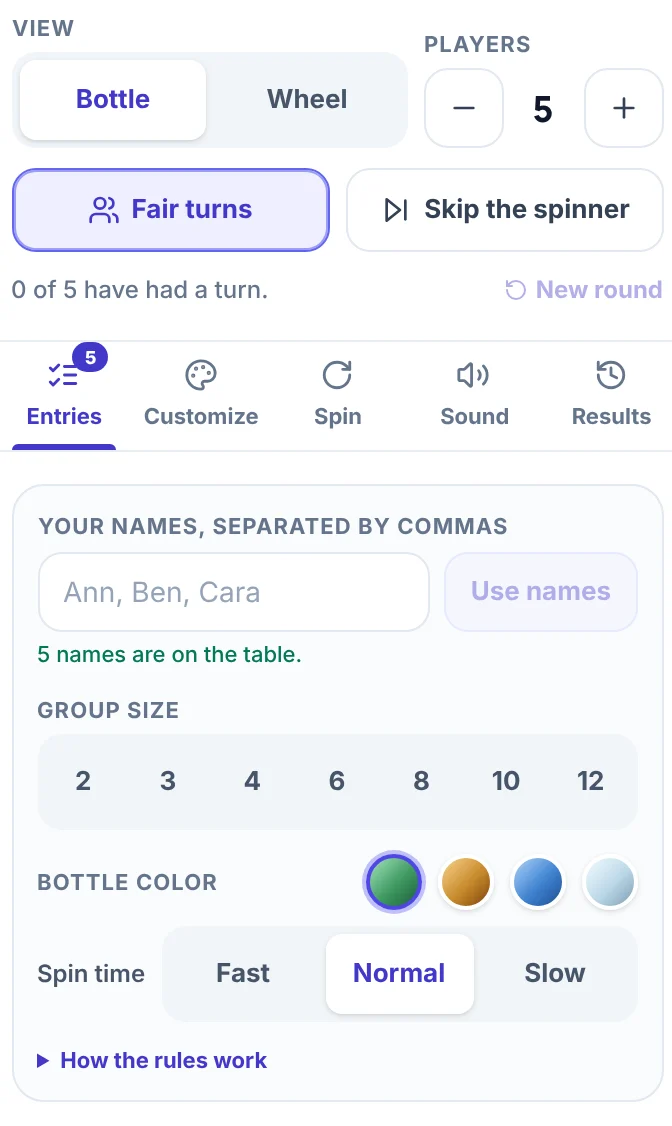
On a phone, the view switch, the player count, the names box, the group sizes and the two turn rules sit under the Spin button instead of in a side panel.
The bottle always stops close to the middle of one seat, never between two. With a real bottle, the neck can end up between two people and start an argument. Here, the seat that lights up and the name on the card are always the same player.
Up to 16 players show as name tags around the bottle. From 17 players the tags become dots, and the player the bottle stops on gets a name tag. The Players buttons go from 2 to 24, and the names box takes up to 1,000 names. For a very big group, switch View to Wheel. The same names then appear as slices on a normal wheel, and the card reads Next up.
Spin the bottle with 2 players
Spin the bottle works with 2 players. Type both names into the names box and press Use names, or tap 2 under Group size for two placeholder seats, then spin. The bottle stops on one of you each time.
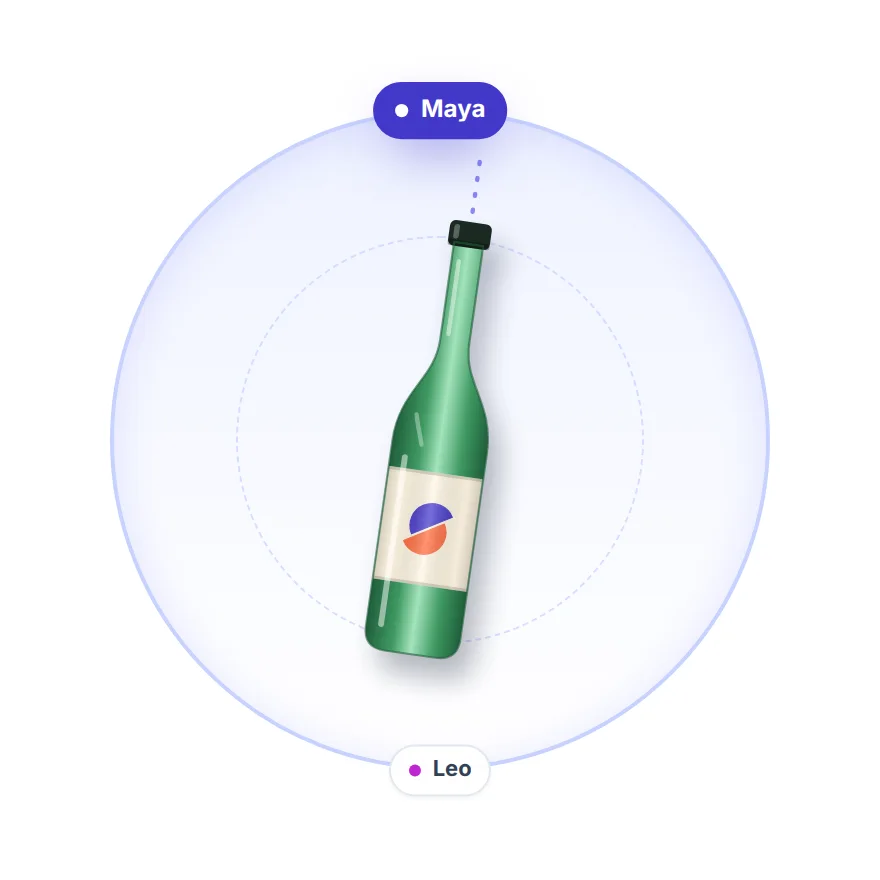
With two players and no rule on, every spin is a coin flip. After any pick, there is a 1 in 4 chance that the next two spins name that same player again. To make the turns alternate, switch on Skip the spinner. The bottle then never points back at the player it picked last, so after the first spin it alternates: if Maya is picked first, Leo is next, then Maya again. Fair turns gives each of you one turn in every pair of spins, but a new pair can open with the player who closed the last one.
Two housemates can spin once to see who chooses tonight's film. With Skip the spinner on, the next spin can only name the other person, so they choose tomorrow's.
If you add a rule of your own, agree it before the first spin and let either player say no. For one either-or choice between two people, flipping a coin is quicker.
Keep turns fair
To give everyone a turn, switch on Fair turns under the player count. Equal chances do not give equal turns: with five players and 10 spins, there is about a 48% chance that at least one player is never picked, even though every spin is fair. Skip the spinner, the second switch, stops the bottle pointing at the same player twice in a row. Both work in Bottle view and in Wheel view.
| Setting | What the bottle does | Use it when |
|---|---|---|
| Neither (default) | Gives every player the same chance on every spin. | You need one quick pick, such as who goes first. |
| Skip the spinner | Never points back at the player picked last. | You want no back-to-back turns. |
| Fair turns | Lets everyone go once before anyone goes twice. | You want rounds in which nobody is left out. |
| Both | Does both, and the first pick of a new round is never the last player of the old one. | You are playing a long game in rounds. |
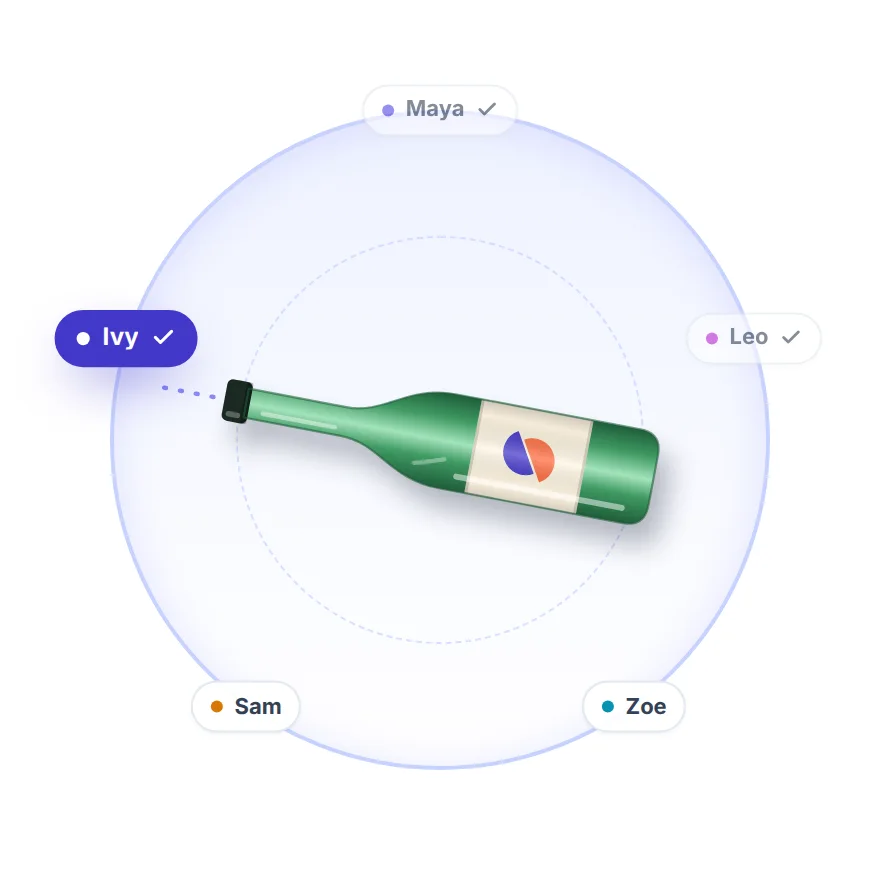
With Fair turns on, the table puts a check mark beside each name that has had a turn, and the panel counts them, for example "3 of 5 have had a turn." When everyone has gone, the card says so and the next spin starts a new round. New round starts one by hand. In 10 spins on five names, every player gets exactly two turns. With Skip the spinner on, the panel names the player the next spin will skip.
Game ideas that need no dares
The bottle only picks a name, so the game is whatever you attach to the pick. Three setups work without any dares:
- Question circle. One person reads a question, spins, and the player the bottle points at answers. The next section has questions to start with.
- Story circle. Start a story with one sentence. Each spin picks who adds the next sentence. With Fair turns on, everyone adds one sentence per round, and the count in the panel shows when the round is over.
- Last one standing. Open the Spin tab and set Mode to Elimination. Each player the bottle points at leaves the table. When one player is left, the bottle has nobody else to pick, and your group decides what that player wins, such as choosing the next game or the music.
Spin the bottle questions
The bottle picks who answers, and the group supplies the question. A simple way to run it: the player the bottle points at answers, then reads the next question and presses Spin. Switch on Skip the spinner so the bottle never points back at the player who just asked, and let anyone pass.
These questions suit friends and family, and none of them is romantic or embarrassing.
Easy openers:
- What is the best meal you have ever eaten?
- Which song could you play on repeat all day?
- If you could live anywhere for a year, where would it be?
- What is one thing you are looking forward to this month?
- Which made-up place would you most like to visit?
A little deeper:
- What is a small thing that always improves your day?
- What did you want to be when you were ten?
- What is the best advice anyone has given you?
- Which skill would you learn in a free weekend?
- What is the funniest thing that has happened to you at school or at work?
For a bigger bank of questions with levels, plus challenges, use the Truth or Dare Wheel, which has built-in questions for friends, kids, family and couples.
Spin the bottle for kids
Spin the bottle for kids works when the bottle only chooses who goes next. Leave out the kissing rule and use the pick for a question, a turn or a job. Written records of bottle-spinning games go back to the 1920s, and the early accounts do not mention kissing, according to Wikipedia.
A setup for a group of children:
- Type first names or nicknames into the names box.
- Switch on Fair turns. Every child gets a turn before anyone gets a second one, and the check marks and the count show the adult who is still waiting.
- Choose the Spin time. Slow, about 7 seconds, builds suspense. Fast, about 3 seconds, keeps a restless group moving.
- Say what a pick means before the first spin, and let any child pass.
Questions that work for children:
- What is your favorite game to play outside?
- If you could have any superpower for a day, which would you choose?
- What would you name a pet dragon?
- Would you rather have a talking dog or a flying bike?
- What is the best thing you ate this week?
- What made you laugh today?
To pick one student for a class question without a bottle, the Random Name Picker is made for that.
What this bottle does not do
- It has no kissing rules, dares, forfeits, scoring or teams. For teams, use the Random Team Generator.
- It runs on one screen. Everyone looks at the same device, and there is no room where each player joins from their own phone.
- It does not keep your names. Reloading the page brings back Player 1 to Player 10. Save and share makes a link that keeps your names, but the link opens them on a standard wheel, not on the bottle table.
Other wheels for game night
- For a round of questions and challenges, use the Truth or Dare Wheel.
- For a game where players act out words, use the Charades Generator.
- For a game where players draw, use the What to Draw Wheel.
Frequently asked questions
Open the Entries tab, type your names into the box called Your names, separated by commas, and press Enter or Use names. Then press Spin, tap the bottle or press Space. The bottle stops on one name and a card shows who it points at.
Yes. Type both names into the names box, press Use names and spin. Switch on Skip the spinner if the bottle should alternate between the two of you.
Both. As a generator, the page picks one name at random from your list. As a game, it shows that pick as a bottle stopping at one player's seat. The page does not score points or set rules, so your group decides what the pick means.
No. The page picks the player first, using the browser's cryptographic random number generator, and then turns the bottle so it stops on that player's seat. The spin is an animation, so the timing of your click cannot change who is picked.
Yes. Switch on Fair turns, and the bottle lets everyone go once before anyone goes twice. Check marks on the table and a count in the panel show who has had a turn.
Yes, if the bottle only chooses a name and you decide the question or the job. Use first names, switch on Fair turns so every child gets a turn, and let any child pass.
Any that suit your group. Start light, for example "What is the best meal you have ever eaten?" Let the player the bottle points at read the next question, and switch on Skip the spinner so nobody answers their own question.
Yes, several films share the title. According to Wikipedia, one is a 2024 American horror film with Ali Larter and Justin Long (released digitally on October 4, 2024, about teenagers who release a spirit after playing the game), another is an Irish film from 2003, and a third is an American film from 1998. This page is the party game, not any of the films.