Filters225 ideas
Who is it for
AnyVibe
AnyType
AnyTime you have
Slice colours
Show on the wheel
Bored at Home Wheel: Spin for Something to Do by Who, Vibe or Time
Narrow 225 ideas by who is with you, vibe, type, time and supplies, then press Spin. Get one idea, a plan of three, or a timer that starts with the idea.
This bored at home wheel is a spinning wheel that picks one thing to do at home from a list of 225 ideas. Press Spin and the result card shows the idea, how long it takes, who it suits and what you need. A button on the card starts a timer for that length of time.
If you are stuck on what to do bored at home, narrow the list first. You can choose who is with you, the vibe, the kind of activity, how much time you have and if you are willing to hunt for supplies. The list is chosen by hand: every idea can be done at home, with no brand names, celebrities, pranks or adult ideas. It does not know what is in your home or what the weather is doing, so the You need line on each card tells you what to look for.
How to spin the wheel for something to do at home
- Press Spin. You can also click the wheel or press Space. The wheel opens with all 225 ideas in the pool and 24 of them on the slices.
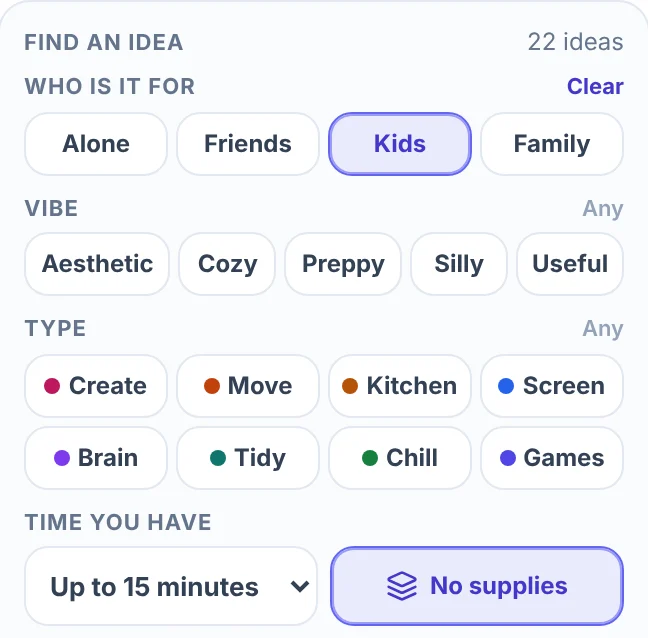
- Narrow the list. In the Entries tab, under Find an idea, tap chips for Who is it for, Vibe and Type, set Time you have, or switch on No supplies. The count beside Find an idea says how many ideas are left.
- Choose what one spin gives. 1 idea per spin is the opening setting. 3 ideas per spin gives a plan of three. The two buttons sit above the tabs on a computer and under the wheel on a phone.
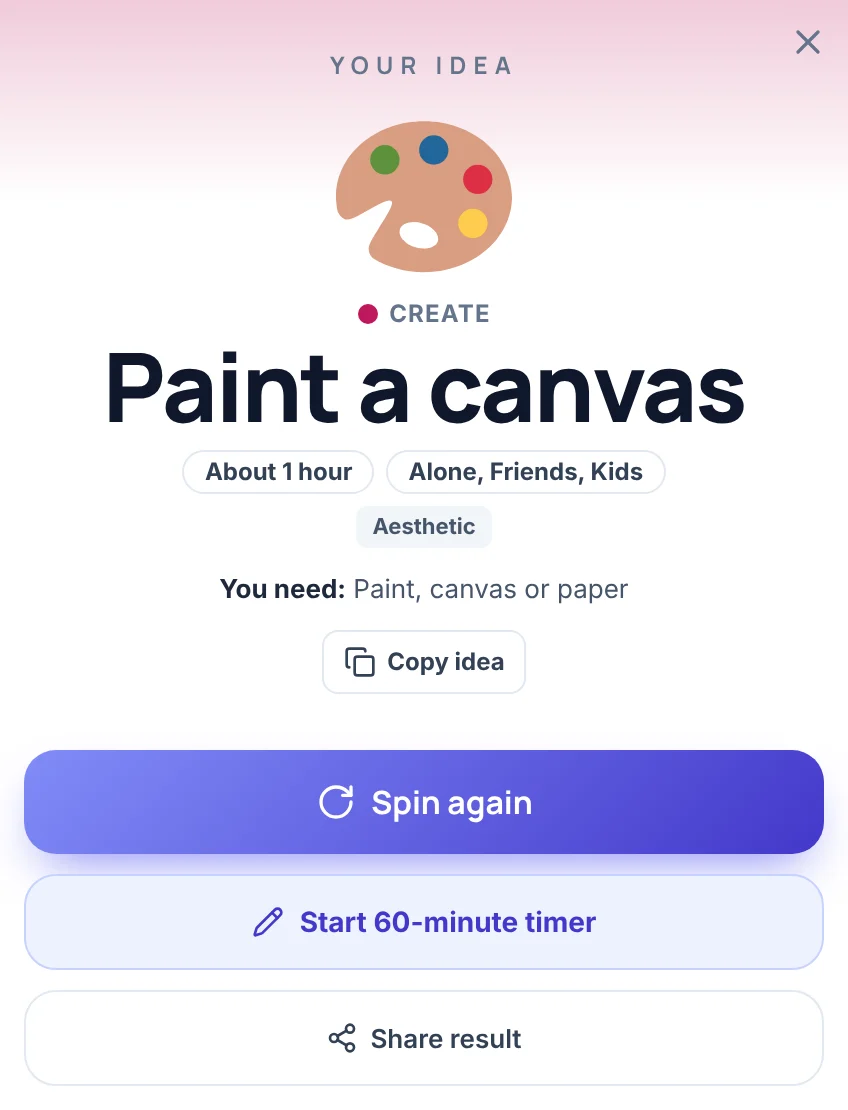
- Read the card. It shows the type, the idea, the time, who it suits, the vibe and what you need. Press Start 15-minute timer (the number is the idea's own time), or Spin again.
On a phone, the spin choice, the timer and a Filters section sit under the wheel. The idea list and the options are in the Entries sheet, which opens from the bar at the bottom of the screen.
Narrow the list by who, vibe, type, time and supplies
The idea list is sorted in four ways. An idea can fit several groups, so the counts add up to more than 225.
| Row | Chips (ideas on each) |
|---|---|
| Who is it for | Alone 191, Friends 131, Kids 107, Family 124 |
| Vibe | Aesthetic 32, Cozy 64, Preppy 20, Silly 47, Useful 52 (42 ideas have no vibe) |
| Type | Create 35, Move 23, Kitchen 30, Screen 23, Brain 27, Tidy 34, Chill 24, Games 29 |
| Time you have | Up to 5 minutes 24, up to 15 minutes 111, up to 30 minutes 190, any length 225 |
Chips in one row add up, and the rows narrow each other. Friends and Family together give ideas that suit either. Add Silly and only the silly ones among those stay. A row with nothing switched on means any. Each row has a Clear link, and Clear all filters resets everything. Time you have means up to that long, and the times on the cards are rough ("About 15 min"), so treat them as a guide.
No supplies leaves out every idea that needs something you would have to find or buy. A phone, a screen or a window counts as nothing, so "Learn a dance" with a screen stays in. That leaves 84 of the 225 ideas. With Kids, Up to 15 minutes and No supplies switched on, 22 ideas remain.
When the pool holds more than 24 ideas, the wheel shows 24 random ideas of it and takes a new set after every spin. The winner is one of the 24 on the wheel, so every idea in the pool has the same chance. The status line reads "225 ideas, 24 on the wheel" at the start, and "22 ideas" once the pool is small enough for every idea to be on the wheel. The slices are colored by type, and the Wheel theme button under Slice colours switches back to the site colors. Show on the wheel has Emoji + name and Name only. A picture appears only for an idea that has an exact emoji. The other 33 get a neutral tile on the card.
Under Ideas you can see the whole pool. Use Find an idea to search it, and Tick all and Untick all to change what is on the wheel. An idea you untick leaves the wheel.
Start the timer, or spin for a plan of three
The timer sits under the result in the side panel and under the wheel on a phone. It shows a clock, a Start button, a length menu (5, 10, 15, 30 or 60 minutes) and a reset button. After a spin, an idle clock moves to the idea's own time, and a running timer is left alone. On the result card, the Start N-minute timer button starts that time at once and closes the card. When the time is up, the clock turns orange and the page says "Time is up. Keep going or spin again."
The timer is there for one habit: give the idea its time before you spin again. If it still feels wrong afterwards, spin again. Two options in the Options list change how it behaves. Auto-start timer starts it as soon as a result appears, and End sound can be switched on or off.
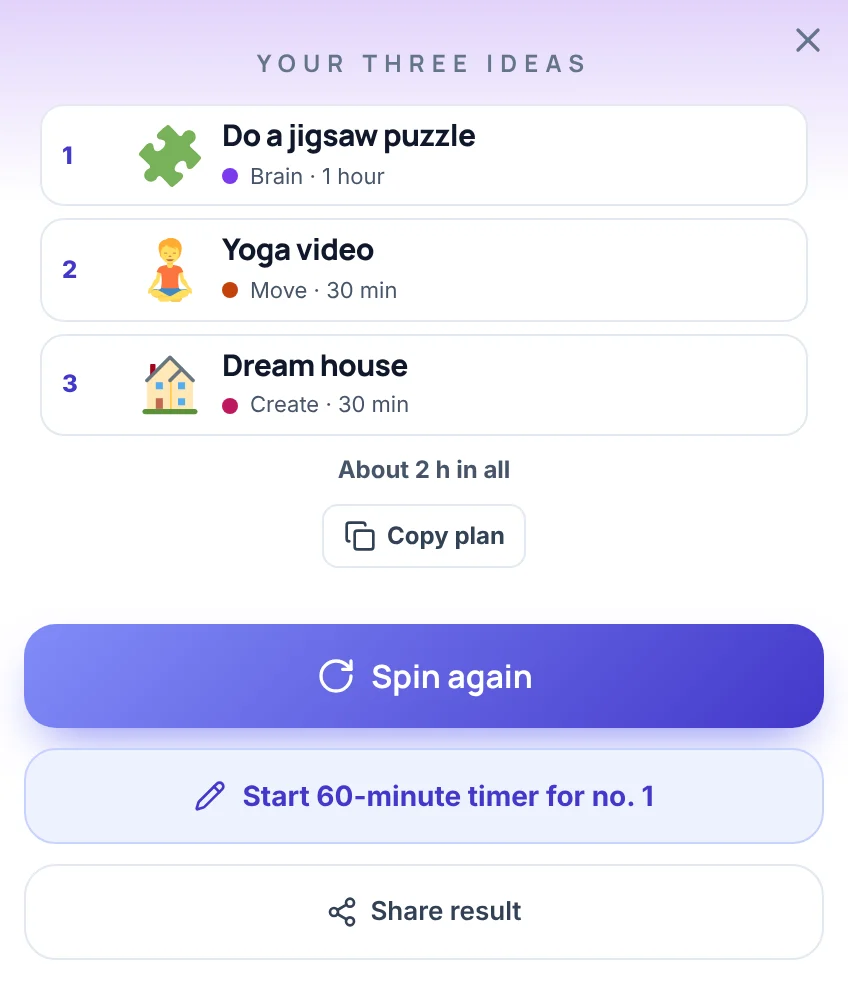
3 ideas per spin gives a numbered plan. The three ideas are always different from each other and, where the list allows, of different types. Each row shows its type and time, a line under the three rows gives the total (such as "About 2 h in all"), and Copy plan copies the list as text. The timer button then starts the time of idea no. 1.
Things to do with friends, kids or family
The Who is it for row is the quickest way to change the whole list.
- Friends has 131 ideas. The Games type holds 29 ideas, and 28 of them suit friends, such as Two truths, one lie, Would you rather, Blindfold drawing and Sticky note game. To decide whose turn it is or who picks first, spin the Random Name Picker. For a bigger game, the Charades Generator and the Truth or Dare Wheel supply the prompts.
- Kids has 107 ideas, such as Dance party, Obstacle course, Play freeze dance and Build with boxes. Add No supplies to get 34 ideas, or No supplies and Up to 15 minutes for 22. Some ideas use scissors or the kitchen, so an adult should decide what suits the child.
- Family has 124 ideas that the whole household can join. Alone has 191.
- Mystery result (in Options) hides the idea until you press Reveal, for a round where nobody sees the idea in advance. Mystery wheel puts a ? on every slice.
- No repeats keeps an idea off the wheel after it has come up, until you press Reset draws. It suits a long afternoon or a holiday, when you want to get through the list. The status line then counts the ideas that are left and how many are used.
Aesthetic, cozy and preppy ideas
The Vibe row describes the feel of an idea, not its subject.
- Aesthetic (32 ideas) means pretty to make, look at or share, such as Start a journal, Vision board, Press flowers, Set up a flat lay and Hang string lights.
- Cozy (64 ideas) means slow, soft and comforting, such as Future letter, Knit or crochet, Make a book nook and Bake cookies.
- Preppy (20 ideas) means neat, bright and put together, such as Plan five outfits, Make fancy toast, Arrange flowers and Color a planner.
- Silly (47 ideas) and Useful (52 ideas) round out the row, such as Write a silly song and Make a budget.
Preppy is the smallest group, so with a second chip on, such as Alone, the wheel can have fewer than 24 ideas. Switch on Aesthetic and Preppy together for the larger pool of 38 ideas that match either.
Make the wheel your own
The wheel can spin your own ideas instead. In the Entries tab, add ideas one by one in the Add an idea box, or press Bulk edit, paste one idea per line and press Apply list. The status line then says how many entries are on your wheel.
From then on the wheel is yours. Spins and 3 ideas per spin draw from your entries, and with 1 idea per spin a Remove winner button appears on the card. Your lines have no type, time or supplies, because the page only knows its own 225 ideas. The wheel takes up to 1,000 entries. Tapping a chip brings the built-in ideas back.
What this wheel does not do
- It holds 225 ideas, not an endless list. After many spins you will see repeats unless No repeats is on.
- It has no outdoor ideas, outings or places. Every idea is meant for home.
- It cannot leave a type out. Chips choose what to include, so to avoid the Screen type, switch on the other seven.
- It has no age, budget or screen-time setting. The Kids chip keeps ideas children can do, but it is not a safety check.
- It does not know what you have at home. The You need line says what an idea uses. No supplies helps, but it counts a phone, a screen or a window as nothing.
- The times are rough. The cards say "About 15 min" or "About 1 hour".
- It has no AI idea generator. The ideas are the fixed list, or your own.
- The timer lives on the page. It plays an end sound if sound is on. It does not send a notification or set an alarm outside the page.
Frequently asked questions
Press Spin on this bored at home wheel and do the idea it picks. It chooses one of 225 at-home ideas, and you can narrow the pool first by who is with you, vibe, type, time or supplies. For something you can start now, switch on No supplies and pick Up to 15 minutes, which leaves 48 ideas.
Yes. The Kids chip keeps the 107 ideas that children can do, such as Dance party, Obstacle course and Play freeze dance. With No supplies it leaves 34, and with Up to 15 minutes as well it leaves 22. A grown-up should still check the idea, because some use scissors or the kitchen.
Yes. The Friends chip keeps 131 ideas that work with a friend or a group, and the Games type holds 28 of them, such as Two truths, one lie and Would you rather. Choose 3 ideas per spin to get a plan of three for an evening.
The wheel has no gender setting, because the ideas are not split that way. If you want an aesthetic or preppy feel, switch on the Aesthetic chip (32 ideas), the Preppy chip (20 ideas) or the Cozy chip (64 ideas). The chips are open to anyone.
On this wheel, aesthetic ideas are pretty to make, look at or share, such as Press flowers or Set up a flat lay. Preppy ideas are neat, bright and put together, such as Plan five outfits or Make fancy toast. Switch on the Aesthetic or Preppy chip in the Vibe row to spin only those.
It works online in the browser, on a computer, a tablet or a phone, so there is no app to install. On a phone the spin choice, the timer and a Filters section sit under the wheel.
Twenty-four slices keep the names readable. When the pool is larger, the wheel shows 24 random ideas of it and takes a new set after every spin. The winner is one of the 24, so every idea in the pool has the same chance.
Yes. Type them into the Add an idea box, or paste one per line with Bulk edit and press Apply list. The wheel then spins your list, with up to 1,000 entries, until you tap a chip to bring the built-in ideas back.